More people are choosing crypto for everyday payments. It usually comes down to two things: security and privacy.
Security: paying with crypto means you’re not handing over a card number or bank details to complete a transaction. There’s nothing sitting in a database to be phished, skimmed, or exposed if a payment processor ever gets breached. You send exactly what’s needed, directly, and that’s the end of it.
Privacy: crypto doesn’t show up on a bank or credit card statement tied to your name and billing address the way a card transaction does. To be accurate about it, blockchain transactions aren’t fully anonymous. They’re public ledgers under the hood. But you’re not handing over personal billing information just to complete a transaction, and that’s the practical privacy most people actually care about.
If you’ve never sent crypto before, here’s the whole process, start to finish, in about five minutes.
The basics
This guide covers the four assets people run into most often:
- Bitcoin
- Ethereum: on either the Ethereum network or the Base network
- USDC: on either the Ethereum or Solana network
- USDT: on either the Ethereum or Solana network
Whatever coin and network you’re sending to, match it exactly. More on why that matters below.
One thing worth knowing about cost: sending crypto sometimes comes with an extra fee, and it varies by coin and network. Moving BTC or ETH can cost more than moving a stablecoin like USDC or USDT, especially on a lower-fee network like Solana. If you’re not attached to a specific coin, factor that in before you choose what to send.
The one rule that actually matters
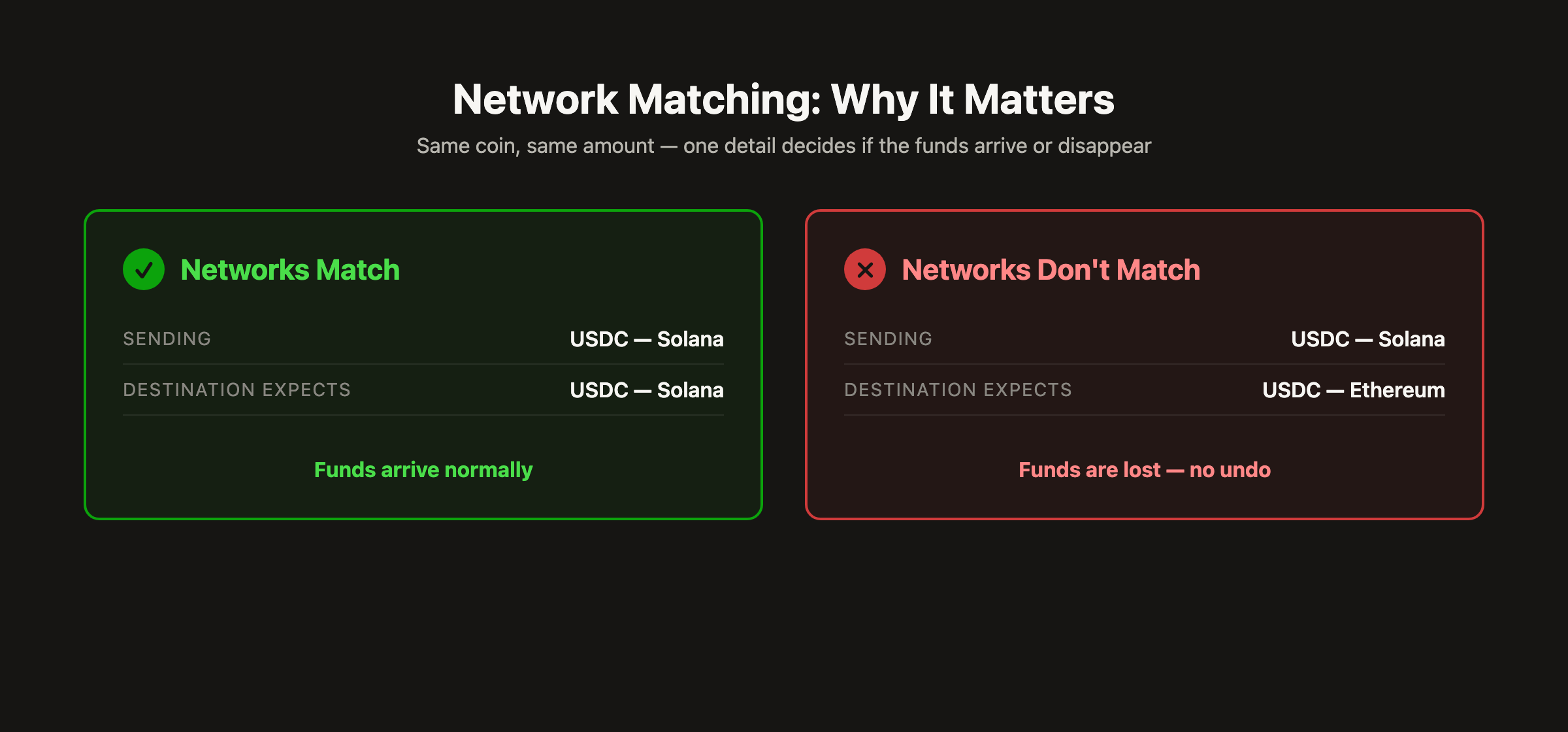
Match the exact coin and the exact network you’re sending to. There’s no undo button in crypto. Send on the wrong network, or send the wrong coin entirely, and it doesn’t bounce back. It’s just gone. This applies to ETH just as much as USDC/USDT. Ethereum and Base are different networks with different addresses, so mixing them up loses funds the same way. Take the extra ten seconds to double-check before you hit send. Every time.
The simplest way to do this: Coinbase
Coinbase handles all four assets above, BTC, ETH, USDC, USDT, on any of these networks, in one app. It’s the easiest single tool to use if you don’t already have a preferred way to send crypto. Coinbase’s own help center walkthrough covers this in more depth if you want a second reference, and it stays current since Coinbase maintains it directly.
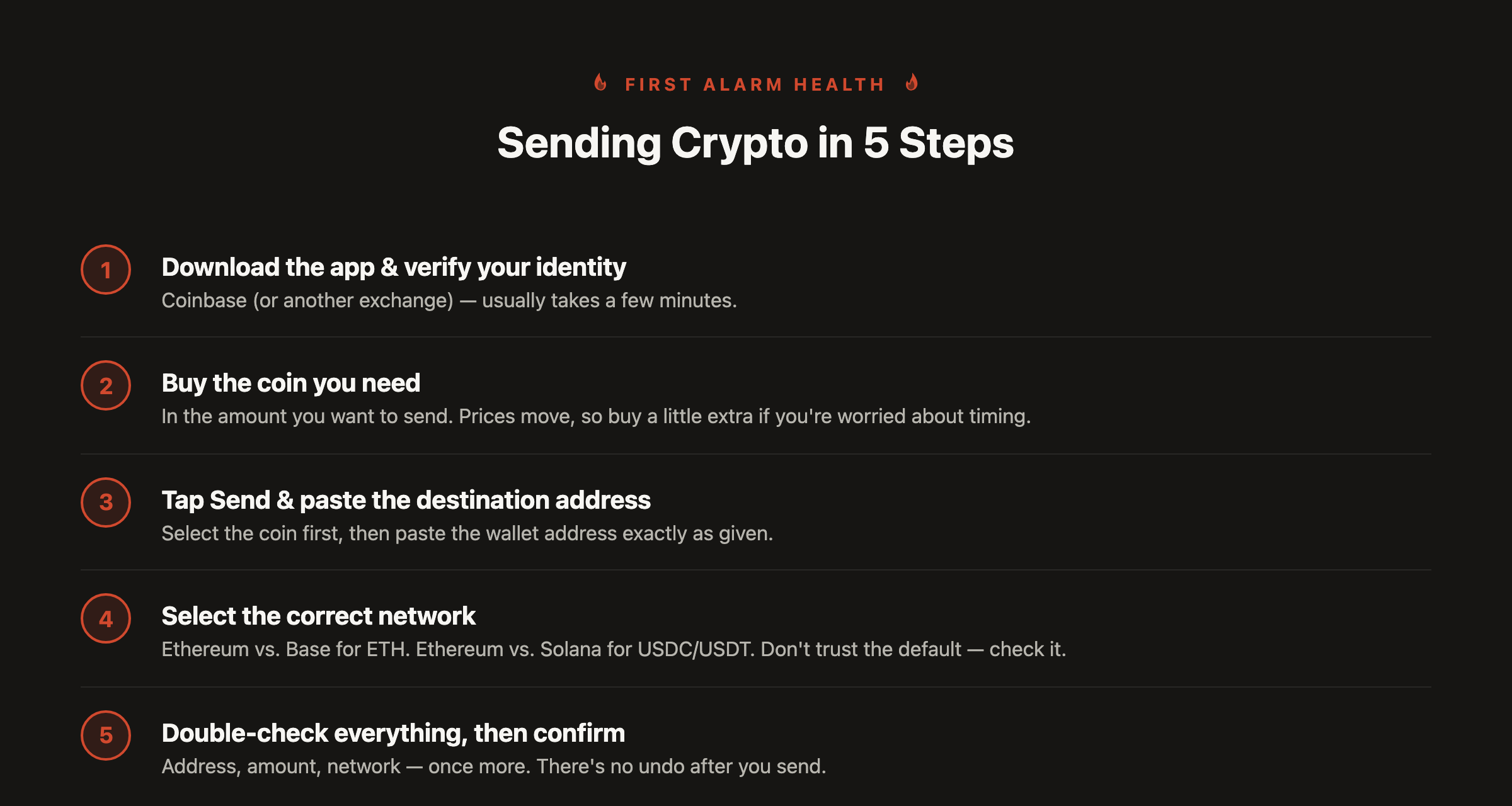
- Download the Coinbase app and verify your identity. Usually takes a few minutes.
- Buy the coin you need, in the amount you want to send. Crypto prices move, so buy slightly more than needed if you’re worried about it shifting mid-transaction.
- Tap Send, then select the coin. Paste the destination wallet address exactly as given to you.
- Select the correct network. This applies to ETH (Ethereum vs. Base) just as much as USDC/USDT (Ethereum vs. Solana). Coinbase shows a default network on this screen. Don’t assume it’s the right one. Check it against whatever network you were told to use.
- Double-check the address, the amount, and the network one more time, then confirm. Once it’s sent, it’s final. That last check is the only safety net you get.
Already have Cash App instead?
That works too, with one limit. Cash App only supports Bitcoin and USDC (on Solana, Ethereum, Polygon, or Arbitrum). It doesn’t support ETH or USDT at all. If you need to send one of those two, you’ll need Coinbase, or another exchange, instead.
To send BTC or USDC from Cash App: open the Bitcoin/crypto tab, tap Send, paste the address exactly as given, select the correct network if you’re sending USDC, confirm the amount, and send.
Same rule either way: coin and network have to match exactly. If anything about the destination address or network looks unclear, double-check it before you send. That’s a much better use of thirty seconds than losing money to the wrong network.
Shop: First Alarm Health